
Is Webflow ecommerce right for your online store? The short answer: yes — for small to mid-sized stores that want a fully custom storefront, fast pages, and built-in SEO control without wrestling with plugins. It is less ideal for very large catalogs or stores that depend on dozens of third-party apps. This guide from our Webflow development team walks through the real pros and cons, an honest Webflow vs Shopify comparison, and what an online store actually costs in 2026.
The Short Answer: Who Webflow Ecommerce Is Built For
Webflow ecommerce is the store functionality built directly into the Webflow platform. You design the storefront, product pages, cart, and checkout in the same visual builder as the rest of the site — no themes to fight, no plugin updates breaking checkout at 2 a.m.
It fits best when your brand is design-led (fashion, beauty, furniture, specialty food — any store where the shopping experience is part of what you’re selling), your catalogue is small to medium (up to a few hundred products with manageable variants), and content and commerce need to live together — lookbooks, blogs, and the store on one platform, one CMS, one login. It’s a weaker fit for very large catalogues, stores depending on dozens of third-party apps, or complex multi-region selling. Details on each trade-off below.
Webflow Ecommerce Pros: Where It Really Shines

1. Total design freedom for your storefront
This is the number-one reason brands choose Webflow ecommerce. Shopify gives you a theme and a settings panel; Webflow gives you a blank canvas. Product grids, hover interactions, custom cart drawers, animated add-to-cart flows — every pixel of the shopping experience is designable. For brands competing on aesthetics, that freedom is a genuine conversion advantage, as our roundup of high-converting Webflow sites shows.
2. Content, blog, and store on one CMS
Most stores bolt content marketing onto a commerce platform as an afterthought. In Webflow, the store and the CMS are the same system — product collections, blog posts, lookbooks, and landing pages draw from one content model, so your SEO content and product pages reinforce each other instead of living in separate silos.
3. Fast pages and genuine SEO control
Webflow outputs clean, semantic HTML with no theme bloat and no plugin stack slowing pages down. You get direct control over meta titles and descriptions, canonical tags, 301 redirects, alt text, sitemaps, and structured data — everything a search-optimized store needs. Pair that with the practices in our Webflow SEO guide and your product pages can compete in search without technical workarounds.
4. No plugin sprawl, no surprise breakage
WordPress-based stores depend on a stack of plugins for payments, shipping, SEO, and security — each one a potential conflict or vulnerability. Webflow ecommerce is a closed, maintained system: the platform handles hosting, certificates, and updates. That reliability is a large part of why businesses switch, and it shows up in lower ongoing maintenance — see our breakdown of what Webflow maintenance actually costs.
Webflow Ecommerce Cons: The Honest Limitations
No platform is perfect, and you should know the trade-offs before committing.
1. A smaller app and integration ecosystem
Shopify has thousands of apps; Webflow has far fewer native ecommerce integrations. Email marketing, reviews, loyalty programs, and accounting sync are covered through third-party tools and embeds, but niche integrations (specific ERPs, warehouse management, complex subscription logic) may need custom work or middleware like Zapier/Make. If your operations depend on a specific app, verify it integrates with Webflow before you build.
2. Payment gateway availability varies by region
Webflow’s native checkout supports the major gateways (Stripe, PayPal), but availability differs by country. For the UK, USA, and Australia the standard options work well. If you need local payment methods (cash on delivery, regional wallets, local buy-now-pay-later providers), confirm support for your market early — this is one area where Shopify’s broader gateway list can win.
3. Catalogue scale has practical limits
Webflow’s CMS item limits mean very large catalogues hit friction sooner than on Shopify or WooCommerce. A 200-product boutique with 4–5 variants per product runs beautifully; a 5,000-SKU auto-parts store with fitment logic does not belong here.
4. Some advanced features need workarounds
Multi-currency checkout, complex discount stacking, subscription billing, and multi-vendor marketplace setups are limited or need third-party tools. None are deal-breakers for a typical small-business store — but if any is core to your model, budget for the workaround or pick the platform that does it natively.
Webflow vs Shopify: Side-by-Side Comparison
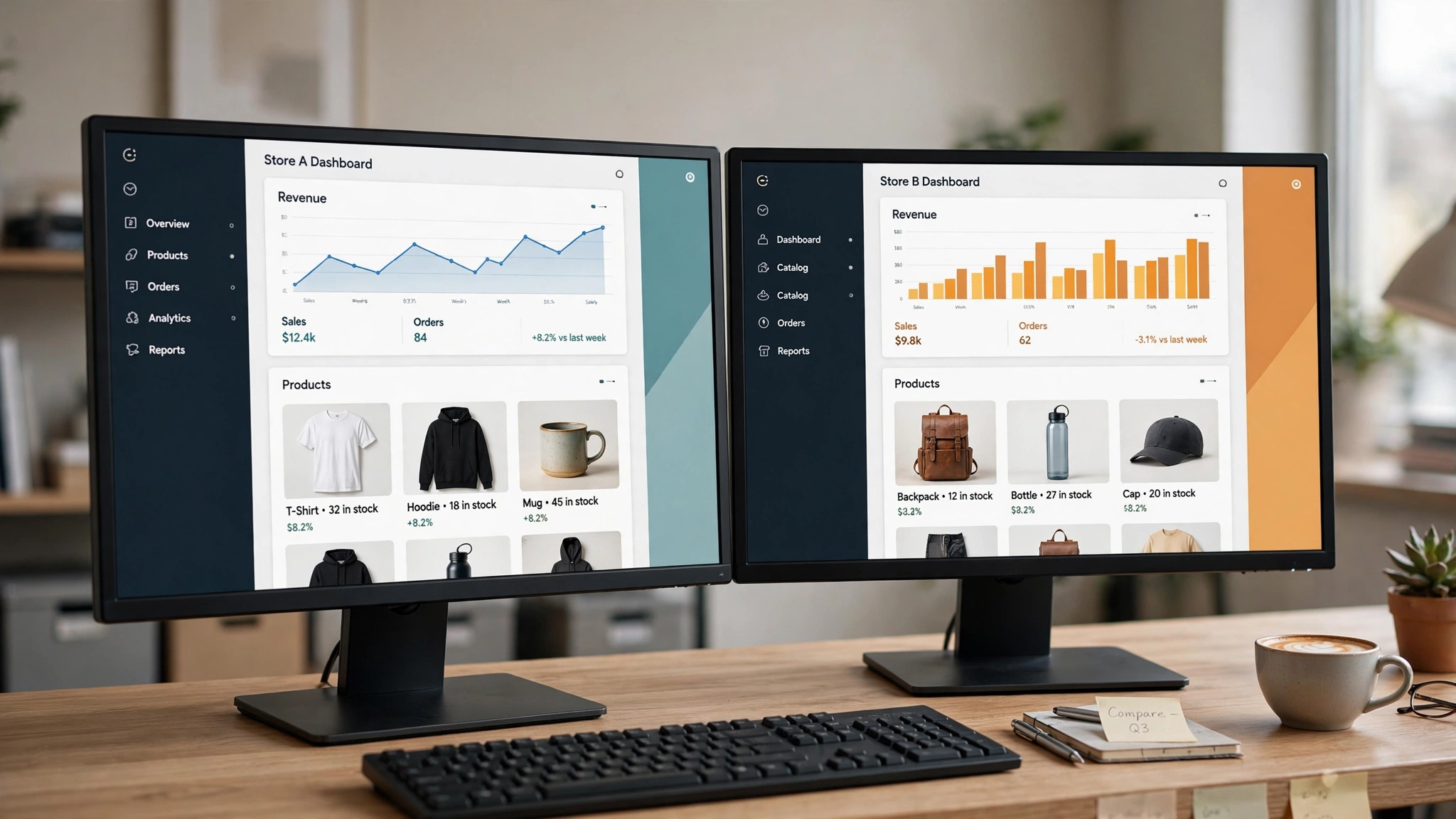
The most common comparison is Webflow ecommerce vs Shopify. Here’s how they stack up for a small business in 2026:
| Factor | Webflow Ecommerce | Shopify |
|---|---|---|
| Best for | Design-led brands, content-driven stores, small to mid catalogues | Stores that need apps and integrations, large catalogues, quick setup |
| Design freedom | Complete — pixel-level control over every store page | Theme-based — customisable, but within the theme’s structure |
| Ease of setup | Moderate — more powerful, steeper learning curve | Easy — guided setup, live in a day with a theme |
| SEO control | Full — clean code, direct control of all SEO fields | Good — solid basics, some URL-structure limitations |
| App ecosystem | Smaller — key integrations covered, niche ones need work | Huge — thousands of apps for almost any need |
| Content marketing | Excellent — store and CMS are one system | Adequate — blogging exists but is secondary |
| Catalogue scale | Best under a few hundred products | Handles thousands of SKUs comfortably |
| Ongoing maintenance | Low — platform-managed hosting and updates | Low to moderate — apps add update overhead |
The decision rule most of our clients land on: choose Webflow ecommerce when the storefront experience and content are your competitive advantage; choose Shopify when operational complexity and app integrations are. (For a broader platform comparison, see our Webflow vs Framer vs Wix breakdown.)
Webflow Ecommerce Pricing: What an Online Store Really Costs
Two cost layers matter: what it costs to build the store, and what it costs to run it:
| Cost component | What to expect | Notes |
|---|---|---|
| Professional build (agency) | $699–$1,200 USD | Our actual range for a custom ecommerce website — design, build, product setup, payment integration, testing, and launch. Delivered in 15 working days. |
| Webflow site plan (ecommerce) | Monthly or annual plan fee | Webflow charges a platform plan for ecommerce sites on top of hosting; check Webflow’s current pricing page for the latest tiers — prices change. |
| Payment processing fees | Per-transaction fee | Set by your payment provider (e.g. Stripe/PayPal), not by Webflow — budget a small percentage of each sale. |
| Domain name | ~$10–$20/year | Register separately and connect it to the site. |
| Third-party tools | $0–$50+/month | Email marketing, reviews, or accounting tools if you use them — most have free tiers to start. |
| Ongoing maintenance | Varies by needs | Lower than plugin-based platforms since hosting and updates are platform-managed. |
The honest summary: a professionally built Webflow online store costs $699–$1,200 USD to launch with us, plus the platform plan and per-transaction payment fees to run. For the full breakdown of what drives build pricing, read our Webflow development cost guide — or get an exact quote for your store.
Feature Checklist: 12 Things to Verify Before You Commit

Run through this checklist before choosing any ecommerce platform — it surfaces deal-breakers while they’re still cheap to address:
| Feature | What to verify | Why it matters |
|---|---|---|
| Payment gateways | Your preferred gateway works in your country | No gateway = no sales; regional availability varies |
| Product variants | Size/colour/material options map to your catalogue | Variant limits bite growing stores first |
| Shipping rules | Zones, rates, and free-shipping thresholds are configurable | Shipping misconfiguration is a top cart-abandonment cause |
| Tax handling | Automatic or manual tax rules for your regions | UK VAT, US state sales tax, and AU GST all differ |
| Discounts and promo codes | Percentage, fixed, and free-shipping discounts work | Promotions drive a large share of store revenue |
| Abandoned cart recovery | Built-in or via an integrated email tool | Recovers 5–15% of otherwise lost checkouts |
| Mobile checkout | Test the full purchase flow on a real phone | Most store traffic is mobile; friction here kills conversion |
| SEO fundamentals | Editable titles, descriptions, URLs, redirects, sitemap | Product pages need to rank to earn organic traffic |
| Analytics | Sales, conversion rate, and traffic source tracking | You can’t improve what you can’t measure |
| Email capture | Newsletter signup and post-purchase flows | Email remains the highest-ROI store marketing channel |
| Inventory management | Stock levels, low-stock alerts, out-of-stock handling | Overselling damages trust and triggers refunds |
| Backup and security | SSL, platform-managed hosting, data export options | Downtime during a sale costs real money |
If you’re evaluating an existing store rather than building new, most of these are exactly what our reviewers check — get a free expert audit of your site and we’ll flag which of these your store is missing.
When Webflow Ecommerce Is the Wrong Choice
Honesty matters more than a sale. Webflow ecommerce is probably not your platform if you run a very large catalogue (thousands of SKUs belong on Shopify or WooCommerce), need point-of-sale integration with physical retail (Shopify’s POS ecosystem is far ahead), depend on a niche app that only exists for another platform, or sell subscriptions as your core model (which needs third-party tools on Webflow). None of these describe most small-business stores — but if one describes yours, choosing the right platform now saves an expensive replatform later. And if your current platform is holding you back, our WordPress-to-Webflow migration guide covers what a careful platform move looks like.
How to Launch a Webflow Online Store: The Practical Steps
Whether you build it yourself or hire a team, the sequence is the same:
1. Define the catalogue. Finalise products, variants, pricing, and photography. Content readiness is the number-one factor in launch speed — our 15-working-day ecommerce timeline assumes your products and copy are ready at kickoff.
2. Design the shopping experience. Homepage, category pages, product pages, cart, and checkout — mobile first, since that’s where most traffic comes from.
3. Configure commerce settings. Payment gateway, shipping zones and rates, tax rules, discount codes, and transactional emails — each tested with a real (refundable) purchase.
4. Load products and optimise for search. Unique product descriptions (never manufacturer copy), meta titles and descriptions, compressed images with alt text. This is where stores win or lose organic traffic.
5. Test everything, then launch. Full checkout on mobile and desktop, discount codes, shipping calculations, forms, and analytics. Launch quietly, verify real orders flow, then announce.
Frequently Asked Questions
Is Webflow good for ecommerce in 2026?
Yes — for small to mid-sized stores, Webflow ecommerce is a strong choice. It offers complete design freedom, clean code with full SEO control, and platform-managed hosting with no plugin maintenance. Its main limits are a smaller app ecosystem and practical catalogue-size constraints compared to Shopify.
Is Webflow ecommerce better than Shopify?
It depends on your priorities. Webflow is better for design-led brands and content-driven stores that want a custom storefront. Shopify is better for stores that need extensive third-party apps, very large catalogues, or point-of-sale integration with physical retail.
How much does it cost to build a Webflow online store?
A professionally built Webflow ecommerce website with us costs $699–$1,200 USD and takes about 15 working days. On top of that, budget for Webflow’s ecommerce site plan (check their current pricing), per-transaction payment processing fees, your domain, and any email or review tools you use.
Can I migrate my existing store to Webflow?
Yes. Products, customer lists, and order history can be migrated, and 301 redirects preserve your SEO rankings during the move. The effort depends on catalogue size and how many integrations need rebuilding — get a proper migration plan before you start.
Does Webflow ecommerce work for digital products?
Yes — digital products (downloads, courses, templates) work well. Delivery is typically handled through integrated tools for file delivery and licence management, so confirm your delivery workflow integrates cleanly before launch.
Final Verdict: Should You Build Your Store on Webflow?
Webflow ecommerce is the right choice when your store’s design and content are competitive advantages — boutique brands and businesses that market through storytelling will get more from Webflow than from any theme-based platform. It’s the wrong choice when operational complexity (huge catalogues, POS, niche integrations) outweighs design. Match the platform to your business model, not to hype.
If Webflow sounds like the right fit, explore our Webflow development services — custom online stores for 350+ clients backed by 1000+ Fiverr reviews, delivered in 15 working days. Or request a quote and we’ll tell you honestly whether Webflow is the right platform for your store.